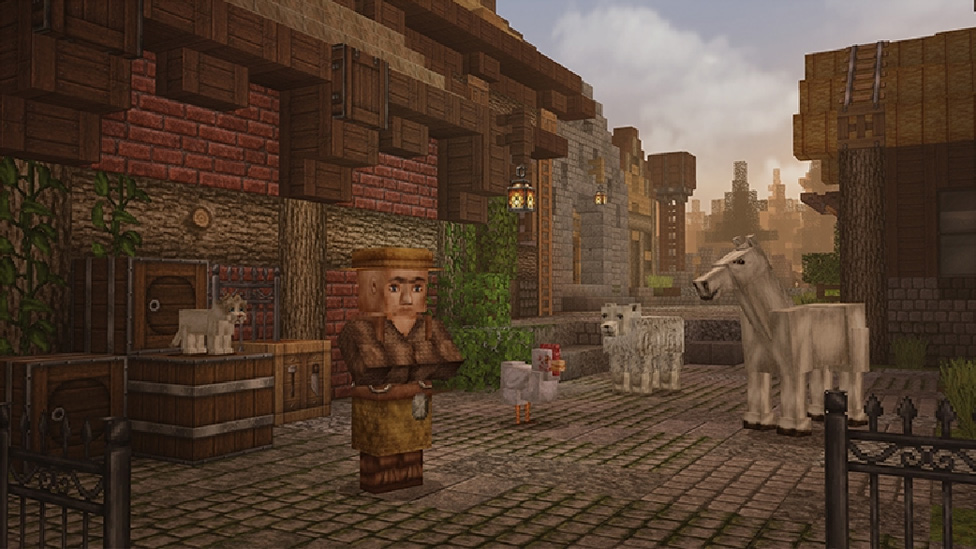
Top Minecraft Bedrock Texture Packs for Better Visuals
Vanilla Minecraft visuals can feel flat and uninspired after years of playing. Finding the right texture pack breathes new life into your worlds without tanking your device's performance. Whether you want photorealistic landscapes or a clean, stylized aesthetic, the Bedrock ecosystem offers incredible community-made options.
This guide breaks down the top Minecraft Bedrock texture packs available today. You will learn how to choose the right pack based on your hardware, and discover our top recommendations across realism, stylized, and performance categories.
How to Choose the Right Texture Pack
Before downloading random files, you need a framework for evaluating texture packs. Not every pack works perfectly across all Bedrock platforms. Keep these three core criteria in mind when making your selection.
Visual Quality and PBR Support
Modern Bedrock Edition uses the RenderDragon engine. This engine supports Physically Based Rendering (PBR). PBR introduces realistic lighting interactions using height maps, normal maps, and emissive textures. If you play on a high-end Windows PC, look for packs that explicitly support PBR to get the most out of your hardware.
Performance and Resolution
Texture resolution dictates how detailed blocks appear. Vanilla Minecraft runs at 16x16. Upgrading to 32x32 or 64x64 offers noticeable improvements without a massive performance hit. Moving to 256x256 or higher requires significant RAM and a capable GPU. Mobile and Nintendo Switch players should stick to 32x32 to maintain a stable 60 frames per second.
Platform Compatibility
Community content is distributed as .mcpack files. Installing these is straightforward on Windows, Android, and iOS. Xbox and PlayStation players face stricter limitations and generally need to rely on the official Marketplace or complex realm-upload workarounds. Always check the supported versions listed by the pack creator.
Best Realism Texture Packs
Realism packs transform the blocky world into a photorealistic environment. These packs are best experienced on Windows PCs equipped with an NVIDIA RTX graphics card.
Kelly's RTX Base Pack
Kelly's RTX is the gold standard for vanilla-style realism. It takes the default Minecraft textures and injects full PBR support.
Every block reacts accurately to path-traced lighting. Iron blocks reflect the environment, while glowing ores cast localized light deep inside caves. Because it keeps the vanilla aesthetic, you never lose the core identity of the game.
RealSource RTX
If you want complete photorealism, RealSource is the answer. It abandons the vanilla look entirely in favor of high-resolution photographic textures.
Cobblestone looks like real stacked stone, and wood planks show detailed grain and weathering. This pack demands high-end hardware. You will need a modern GPU and plenty of system RAM to prevent stuttering. Pair this with a high-quality community shader for the best results.
Best Stylized Texture Packs
Stylized packs offer a cohesive artistic vision. They are perfect for players who want a fresh look without the performance overhead of photorealism.
Bare Bones
Bare Bones makes your game look exactly like the official Minecraft promotional trailers. It strips away the noise and gradients from vanilla textures.
The result is a vibrant, flat, and incredibly clean visual experience. It runs perfectly on all devices because it uses low-resolution textures. If you struggle with visual clutter while building, Bare Bones provides excellent clarity.
Multipixel
Multipixel is the definitive 32x32 upgrade for vanilla Minecraft. It doubles the resolution of every block, item, and mob while strictly adhering to the original design language.
This is the ideal pack for players who like the default game but want sharper edges and finer details. It runs exceptionally well on mobile devices and consoles, making it a universal recommendation.
Best PvP and Performance Packs
Competitive players prioritize frame rates and visual clarity over aesthetics. PvP packs reduce distractions and improve your reaction times.
Bedless Noob's 15k Pack
Designed specifically for competitive game modes like SkyWars and Treasure Wars. This pack features shortened swords to prevent your weapon from blocking your screen.
Ores are outlined with high-contrast borders, making them easy to spot in dark caves. The skies are optimized to render quickly, ensuring maximum frame rates during intense combat encounters.
Clear UI and Glass
While not a full texture overhaul, utility packs are essential. Clear glass removes the annoying streaks from vanilla glass blocks, offering unobstructed views from your base.
Clear UI packs remove the dark backgrounds from your inventory and crafting screens. This allows you to monitor your surroundings while managing your items, preventing surprise attacks from creepers.
How to Install Bedrock Texture Packs
Installing community packs on Windows, Android, and iOS is a simple process. Ensure your game is closed before starting.
- Download your chosen pack. It should end in the
.mcpackfile extension. - Locate the file in your downloads folder.
- Double-click the
.mcpackfile (or tap it on mobile). - Minecraft will automatically launch and display an "Import Started" message at the top of the screen.
- Navigate to Settings > Global Resources and activate the pack under My Packs.
Always verify the pack's version compatibility. Installing a pack designed for version 1.19 on version 1.21 may result in missing textures, often displaying as black and magenta checkerboards.
Next Steps for Your Game
Upgrading your textures is the most effective way to customize Minecraft Bedrock Edition. Start by downloading a stylized pack like Bare Bones if you want clean performance, or Kelly's RTX if you have the hardware for path-traced lighting. Test one pack at a time to monitor your game's performance, and customize your loadout in the Global Resources menu to find your perfect aesthetic.